EXIF vs IPTC vs XMP, and Which One Google Reads
EXIF vs IPTC vs XMP comes down to two questions: who wrote the data, and who reads it back. EXIF is written by your camera and describes the act of taking the photo. IPTC is written by a person and describes the picture itself, including who owns it. XMP is the container modern software uses to carry it.
The consequence matters more than the definitions. Google reads IPTC and does not use EXIF. If you have been filling in the description and copyright boxes your photo software offers, there is a fair chance Google has never seen it.
EXIF vs IPTC vs XMP at a glance
The three are usually presented as rivals. They are closer to three layers that arrived at different times, for different reasons, and are read by different software.
| Standard | What it is for | Who writes it | Who reads it back |
|---|---|---|---|
| EXIF | The act of capture: shutter, lens, time, GPS position | Your camera or phone, automatically | Photo apps, map tools, editing software. Not Google Search. |
| IPTC | Describing the picture in words and stating who owns it | A person, after the shot | Picture desks, stock libraries, and Google Images |
| XMP | Carrying descriptive metadata in an extensible format | Editing software, and the current IPTC standard | Professional photo software, and Google where it carries IPTC |
One correction, because it causes most of the confusion. XMP is not a rival vocabulary to IPTC. It is a format, and the current IPTC standard is written in it. Asking whether to use IPTC or XMP is like asking whether to write in English or in ink. You can check which blocks your own photo carries in a few seconds.
Why a photo carries three metadata blocks instead of one
Three standards exist because three industries needed different things, roughly a decade apart, and none could retire the previous answer.
Learn more in our how to geotag a photo on a computer guide.
Learn more in our geotag photos for google business profile guide.
EXIF came from the camera makers. Exchangeable Image File Format is maintained by CIPA, the Camera & Imaging Products Association, and is now at Exif 3.1. Its job is to let a camera record itself: exposure, focal length, timestamp, GPS position. Nothing in EXIF was designed for a human to type.
IPTC came from the news business. The International Press Telecommunications Council needed wire photos to carry a caption, a photographer, a credit and a rights statement, because a picture landing on a subeditor's desk without them is unusable. The standard reached version 2025.1 in November 2025 and added four properties for AI-generated content, so it is live rather than legacy.
XMP came from Adobe. ExifTool describes the Extensible Metadata Platform as "an XML/RDF-based metadata format which is being pushed by Adobe". Adobe built it in 2002 and it is now maintained as ISO 16684. It stores everything as character strings and groups fields into namespaces, which makes it extensible where EXIF is fixed.
ExifTool calls the older binary IPTC block "an older meta information format, slowly being phased out in favor of XMP". The newer IPTC Core specification uses XMP format, so the direction of travel is settled: IPTC vocabulary, XMP container.
Google reads IPTC and ignores EXIF
This is the fact that makes the comparison worth caring about, and it comes from Google. Asked in the January 2023 Search Office Hours how important EXIF data is for a site where images matter, Gary Illyes answered:
"Google doesn't use EXIF data for anything at the moment. The only image data, or metadata, that we currently use is IPTC."
Google's image licence documentation says the same from the other direction. It tells you to embed IPTC photo metadata inside the image, and names the fields it extracts: Copyright Notice, Creator, Credit Line, Web Statement of Rights, Licensor URL and Digital Source Type. EXIF is not mentioned on that page.
A real file with every description in the wrong block
Here is how that plays out on a real photo, carefully filled in: a description, a title, a keyword list, a named artist and a copyright line.
Learn more in our how to geotag photos on android guide.
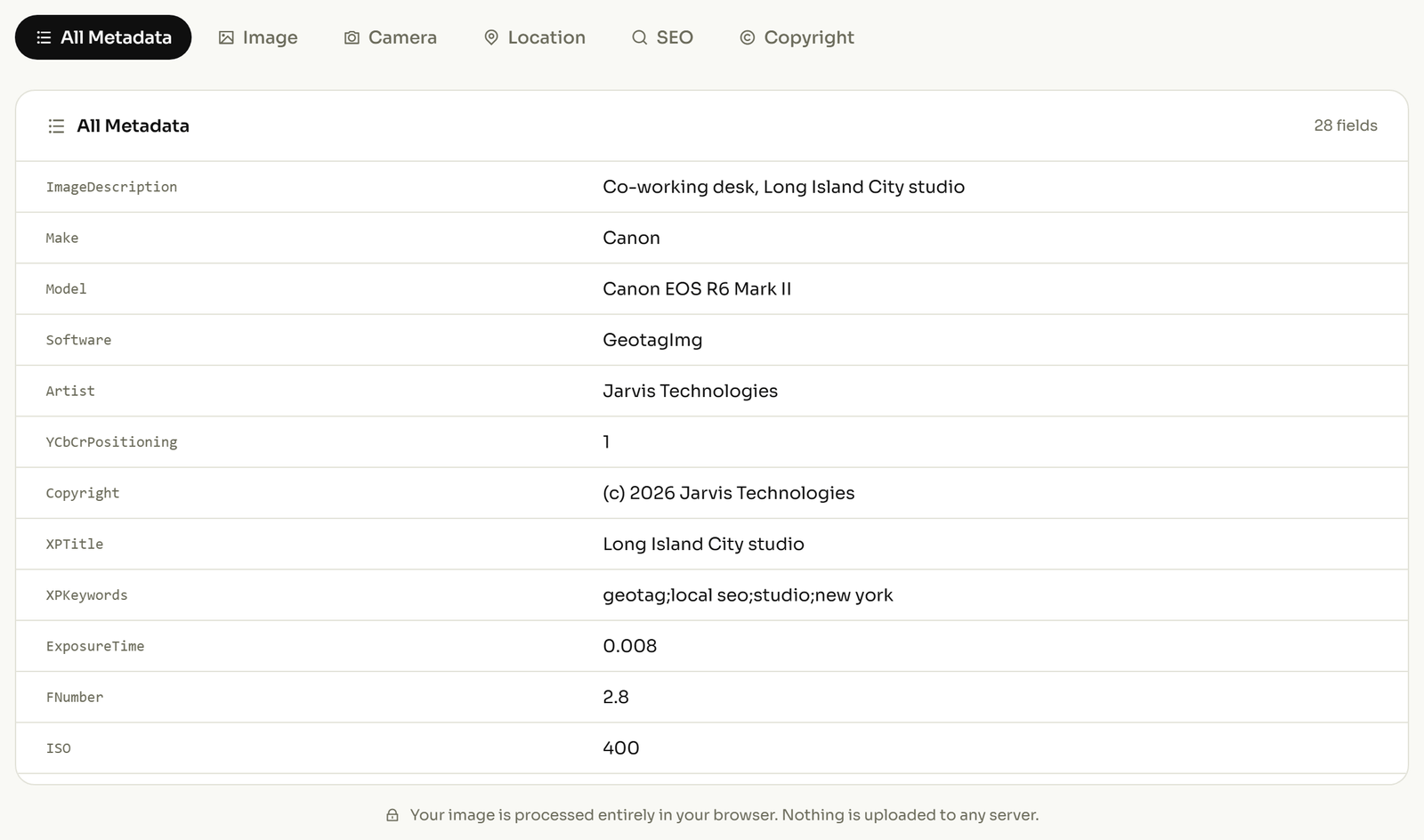
Every field in that list is an EXIF tag. ImageDescription, Artist and Copyright belong to the EXIF specification, and XPTitle and XPKeywords are what Windows Explorer writes when you type into the Title and Tags boxes of a file's properties dialog. That is the trap: Windows, and plenty of consumer photo software, puts descriptive text into EXIF because that is the block those tools have always used.
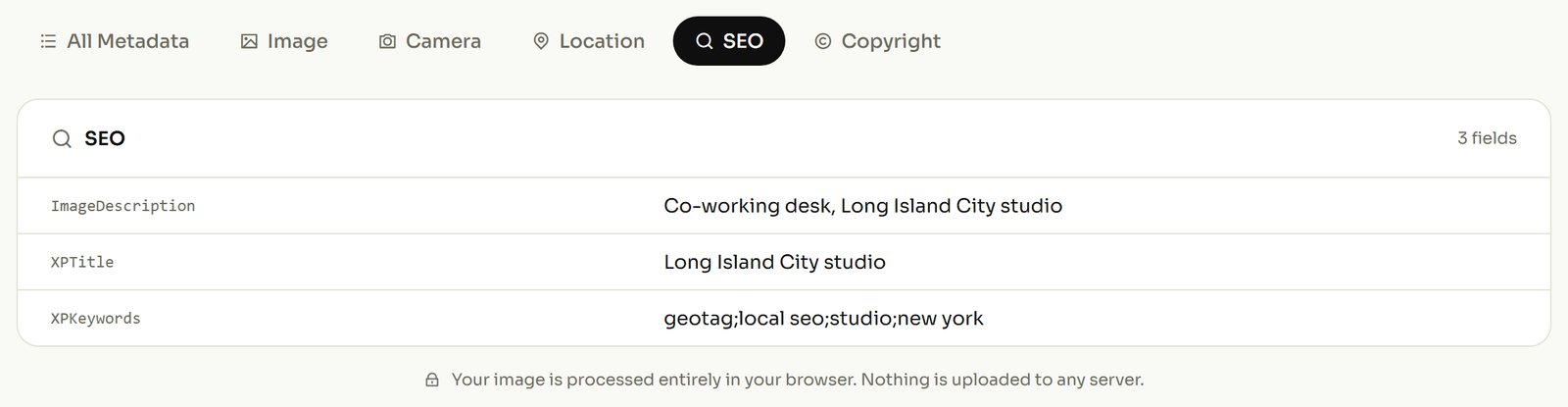
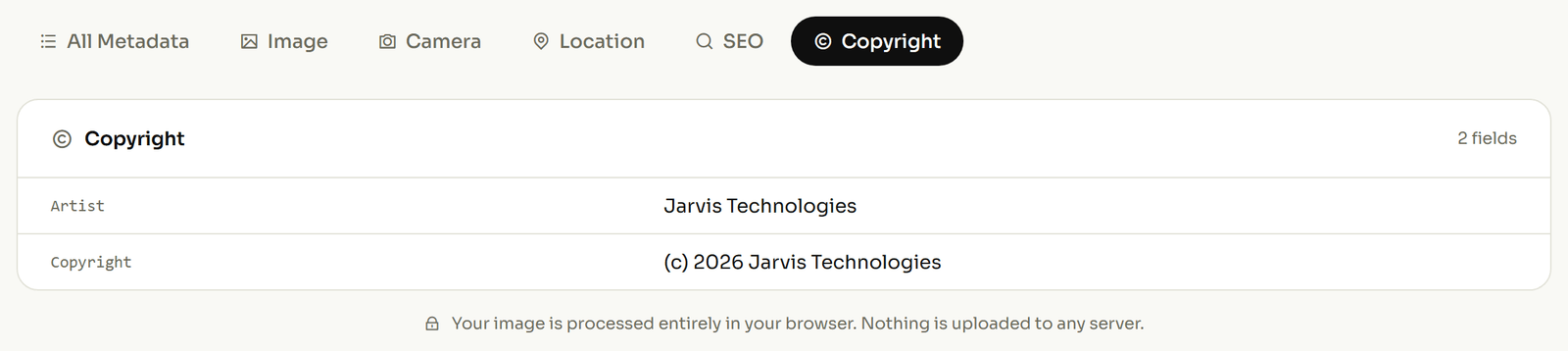
So the photographer's name, the copyright line and the keywords are all on the file, and none is in IPTC. A picture desk looking for a credit finds nothing, and Google uses none of it.
Learn more in our how to geotag photos guide.
Which of the three you actually need
You rarely choose. Your camera writes EXIF whether you ask it or not, so the question is which of the other two you add. Work backwards from who you need to reach.
- Location on the file. EXIF, with no alternative. GPS coordinates live in the EXIF block and nothing in IPTC replaces them.
- Credit and copyright that survive the image being passed around. IPTC, written in XMP. This is where the wrong block costs you something real.
- A caption or keywords that software can search. IPTC again. Keywords typed into the Windows properties dialog land in EXIF and stay there.
- Place names in words rather than coordinates. IPTC, which has dedicated city, sub-location and country fields.
If your descriptive fields turned out to be in EXIF, write the same values into the IPTC fields so the ones Google extracts are filled. Which tags are safe to change, field by field, is covered in our guide to the photo metadata tags you can edit.
What happens when the file leaves your computer
All three blocks live inside the file, so they last exactly as long as the file does. IPTC's Spring 2019 test of about a dozen sites found Flickr, Dropbox, OneDrive and Google Photos passed original files through intact, while Facebook, Twitter, Pexels, Pixabay and Unsplash stripped metadata from downloaded files.
So treat embedded metadata as durable for your own archive and for anything you deliver as a file, and as optional once the photo goes through a platform. If a coordinate is something you would rather not publish, strip the location before you upload rather than trusting the platform to do it.