Can You Rank Photos on Google Business Profile?

You cannot rank photos on Google Business Profile in the way the phrase suggests, because individual photos are not ranked against each other. Your profile is what appears in the map results; the photos sit inside it. Three separate tests have now gone looking for a photo-level ranking effect, and the two smaller ones found nothing at all. The largest found one narrow gain and four declines.
That is the short answer. The longer one is worth your time, because the advice being sold on this subject is specific, popular and mostly wrong.
What the three published tests found
The tactic under test is always the same: write GPS coordinates into a photo before uploading it, in the belief that Google reads them as a location signal.
In January 2024 a local search agency took five profiles that had no other work happening on them, added three geotagged images to each, and tracked the result. Its conclusion was no measurable impact on rankings in the local pack. The same test noted something more useful in passing: after upload, the geotags were gone from the photos. You can read the location out of a photo and repeat that check on one of your own in about a minute.
A month later a consultant published eighteen geotagged posts on a single profile over a month and tracked sixteen keywords. Three improved, four dropped, nine did not move. His summary was that the tactic has no effect on local rankings.
The third test is the one that matters, because it was built properly. An agency took 27 of its lawn care clients and paused every other piece of search work on them for ten weeks.
For the first five weeks it posted two photos a week to each profile with the location data stripped out, to establish a clean baseline. For the next five it posted on the same days, the same number of photos, with coordinates added pointing at two nearby towns. Seven measures were tracked throughout.
One improved. "Near me" searches inside the exact towns the photos had been tagged for went up, and the researchers put that gain at a net improvement roughly 70% of the time. Four of the other six got worse, including searches that name the town, which is what someone types when they have already decided where they want to go. The published write-up ends with the agency deciding not to geotag client images at all.
So the fair summary is not that geotagging is proven useless. It is that the one gain anybody has measured was narrow, unreplicated, and came bundled with larger losses. If you want the mechanics of the practice itself, we cover how the coordinates get written in.
Why you cannot rank photos on Google Business Profile
The premise is the problem. There is no results page of photos, no photo position to climb, and no per-image score you can influence. A photo helps you by being on a profile that ranks and by persuading the person who is already looking at it.
That reframes what "optimising" a photo can even mean. It cannot mean beating another photo. It can mean being clear, recent, correctly categorised and genuinely representative: the things that make someone choose you once they are looking.
It is also worth knowing how thoroughly this idea has been picked over by people whose job is local search. The 2026 Local Search Ranking Factors survey lists the presence of geo-tagged photos among its local SEO myths. Google's John Mueller answered the question on Reddit in five words: "No need to geotag images for SEO."
Before you take anyone's word for it, including ours, upload one of your own photos to your profile, download it back, and see what survived the trip.
What Google has actually said about image metadata
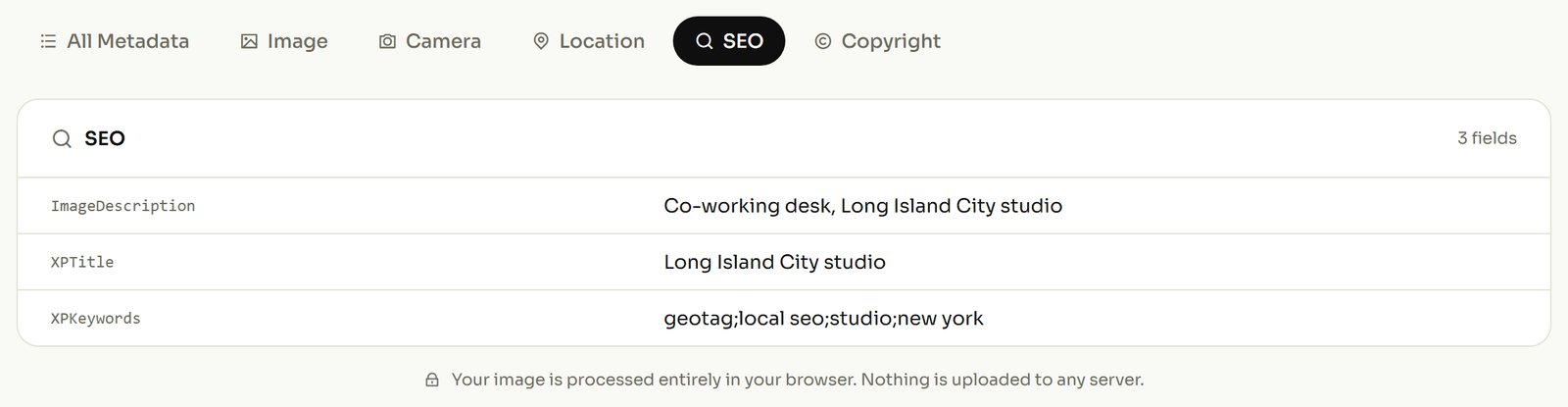
Google has never published anything saying geotagged photos affect a Business Profile's position. Its photo requirements page specifies the file type, the size and the sharpness, and mentions no metadata field of any kind.
There is one on-record Google statement about image metadata, and almost nobody writing about this subject quotes it. Asked how important EXIF data was, Gary Illyes of Google Search answered in a published Search Office Hours session: "Google doesn't use EXIF data for anything at the moment. The only image data, or metadata, that we currently use is IPTC."
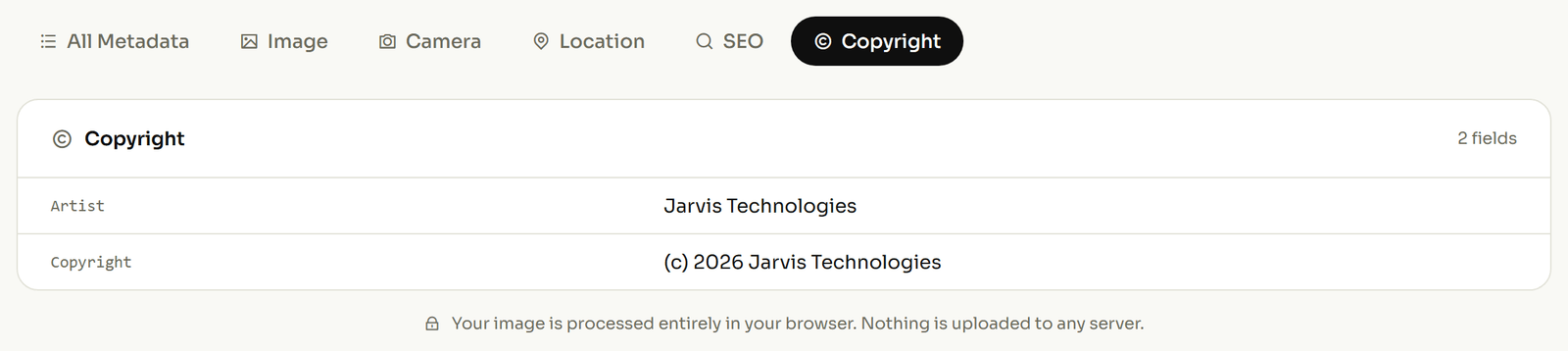
That single sentence sorts the whole question out. GPS coordinates live in the EXIF half of a photo: the half Google says it does not use. Captions, creator, credit and copyright live in the IPTC half, which is the half Google says it does.
So if you are going to fill in fields on your photos, fill in those ones. Not because they will rank you, but because they are the only image metadata Google has said on the record that it reads.
What actually gets your photos seen
Google publishes what it wants from a photo library, in specific numbers, and it is free to follow. The guidance names categories and gives each one a minimum.
- Exterior: "at least three great exterior photos to help customers recognize your business".
- Interior: at least three, "to show customers what your business feels like inside".
- At work: at least three "that are representative of the services you offer".
- Product, food and drink, rooms: at least three of whichever applies to you.
- Team: at least three "showing your management team and your employees".
- Common areas: "at least one photo of each".
Those come from Google's own business-specific photo guidance. An afternoon spent shooting the missing categories is worth more than any amount of work on the contents of the files, and it is the one photo task Google has explicitly asked for.
What a location inside a photo is actually worth
None of this makes geotagging pointless. It makes it a different tool than it has been sold as: a record rather than a lever.
A location written into a photo answers "where was this taken, and when", permanently and without a caption. A contractor can show a finished job was at that address on that date. A business with several sites can tell which one a photo came from. An agency handing over four hundred images can prove which property each belongs to.
That is worth doing on its own terms, and it is worth doing accurately, which is why it belongs in the file rather than in a spreadsheet. If a photo matters to you as evidence, record where the photo was taken before it gets filed, sent or uploaded anywhere.
Do it because you want the record. Expecting a position change from it is the part the evidence does not support, and if you want the underlying mechanics, see what a geotag actually is.