Dentist SEO Keywords and the Photos on Your Site
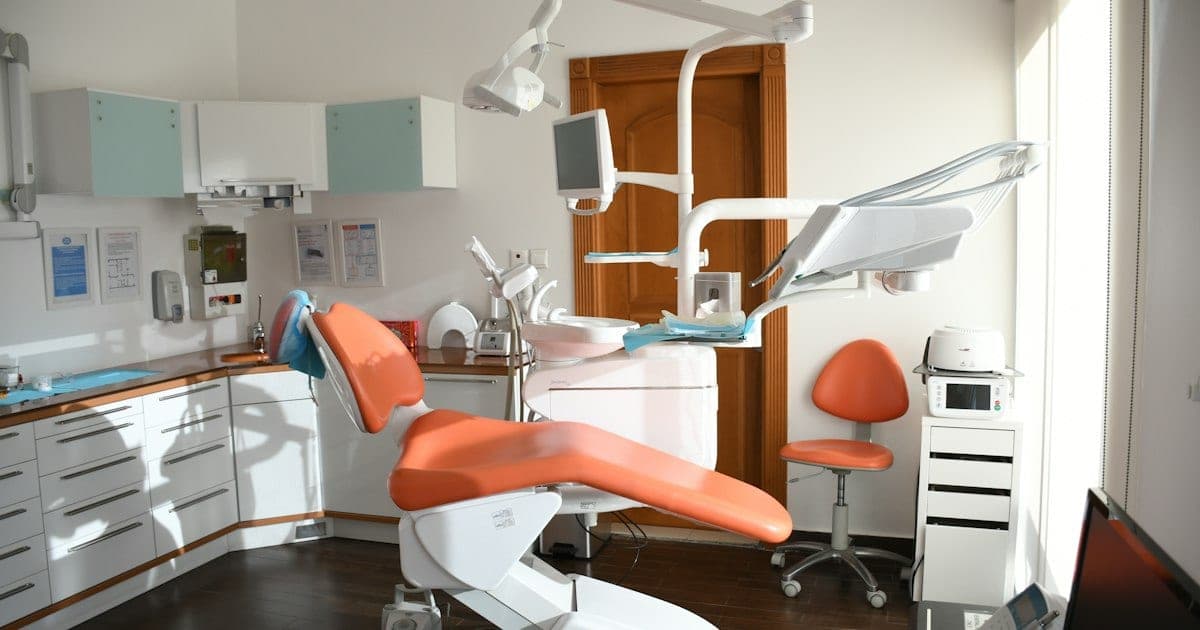
Dentist SEO keywords sort into five groups that behave differently, and mixing them is why most dental keyword lists underperform: the procedure you provide, the symptom a patient types before they know what the procedure is called, the emergency, the cost question, and the neighbourhood you want to be found in. The groups are below, with the query shapes that belong in each.
What no keyword list covers is the other half of a dental website: the photographs. Your galleries, your team page and your Business Profile uploads all carry details recorded by the device that took them, and a practice has no way of seeing those details from inside the tools it uses every day.
Dentist SEO keywords, grouped by what the patient wants
Work from intent rather than volume. A patient searching a symptom is months away from booking an implant; a patient searching "emergency dentist open now" is minutes away from phoning someone. Those two need different pages, and a single blended list hides the difference.
| Group | What the patient is doing | Query shape |
|---|---|---|
| Procedure | Already knows the treatment name | dental implants, Invisalign, veneers, root canal |
| Symptom | Describing a problem, not a treatment | chipped front tooth, bleeding gums, jaw clicking |
| Emergency | Needs someone today | emergency dentist, walk-in dentist, tooth knocked out |
| Cost | Comparing before committing | implant cost, does insurance cover, payment plan |
| Location | Choosing between nearby practices | dentist near me, dentist in [suburb], Saturday dentist |
Two rules make the list work. Give each group its own page rather than stacking them onto one services page, because a symptom page and a procedure page answer different questions and compete with each other if merged. And write the location group into ordinary page copy, never as a block of suburb names. Google's spam policies name blocks of text listing cities and regions a page is trying to rank for as an example of keyword stuffing.
Where the keyword list stops working
A keyword plan governs your text. It does not touch your images, and a dental practice produces more images than most businesses its size: intraoral shots, treatment progress photos, an X-ray unit's exports, staff portraits, and whatever the front desk takes on a phone for the social feed.
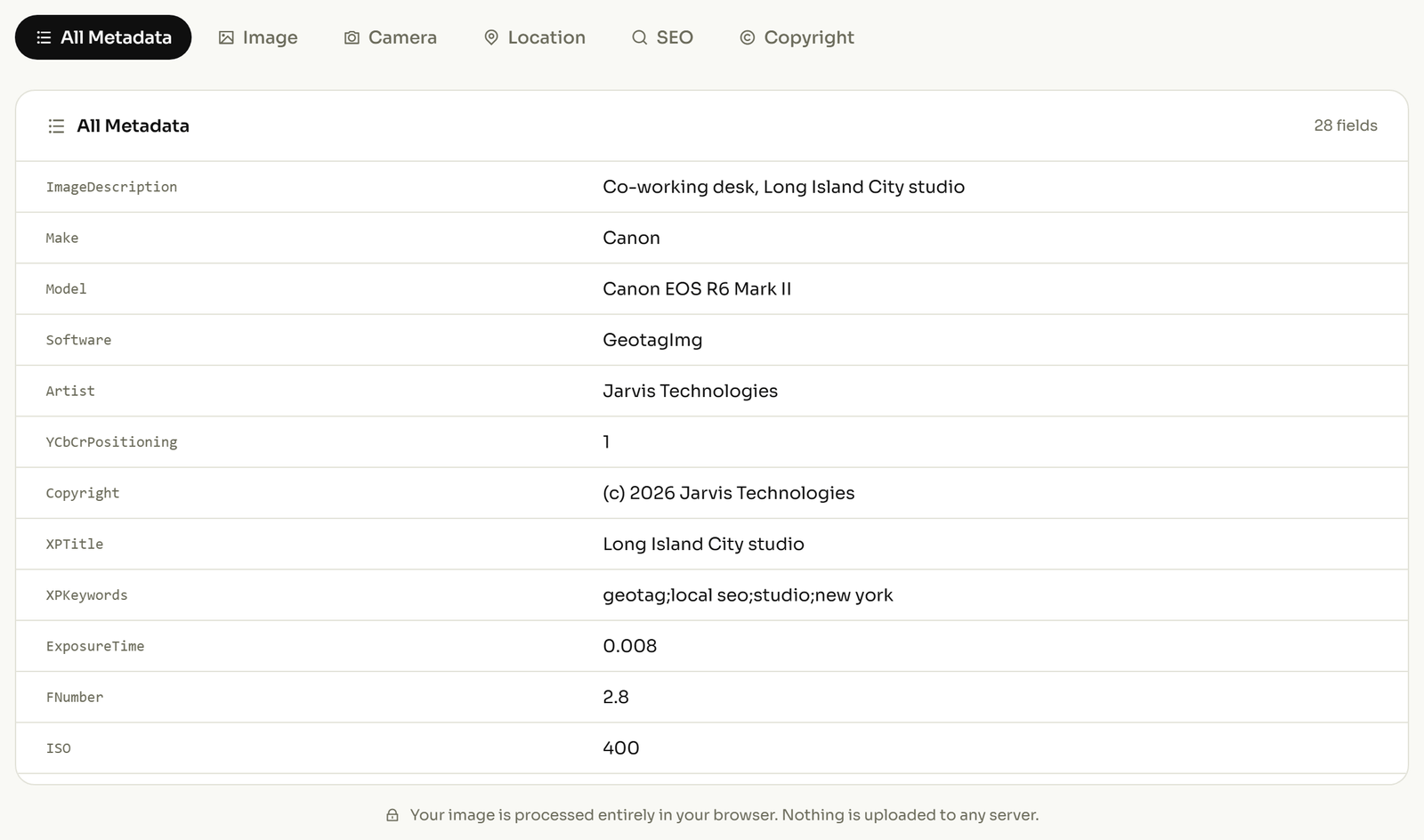
Every one of those files carries a block of information written by the device that made it. It is not visible in your content management system, it is not shown when you upload to a Business Profile, and it travels with the file when anyone downloads it. Most practices have never looked at it. You can open one of your own gallery photos and read what it records in about ten seconds, which is the fastest way to see that this is real rather than theoretical.
What your practice photos are carrying
Four things matter in a dental setting. The tag names are given so you can search for them, but the column that matters is the second one.
| What the file records | Why it matters to you |
|---|---|
Where it was taken (GPSLatitude, GPSLongitude) |
A phone with location on stamps coordinates into every photo. In the surgery that is your address. Taken anywhere else, it is someone else's. |
When it was taken (DateTimeOriginal) |
Clinic camera clocks drift and are rarely reset. A case presented as recent can carry a capture date from years earlier. |
Which device took it (Make, Model, Software) |
Every photo from one handset shares a fingerprint, tying your published gallery to a particular staff member's personal phone. |
Who is named in it (Artist, Copyright, ImageDescription) |
Camera apps and editing software auto-fill a name here, often a staff member's, and it ships with the file. |
The date one is the most likely to cause you an actual problem. A before-and-after gallery is a claim about a result, and the file underneath it is a record of when that result was photographed. If the two disagree, the file is the version a sceptical reader can check.
The location one matters most for photos taken away from the practice: a home visit, a community event, a case photographed somewhere other than the surgery. A photo like that does not record your clinic. It records wherever it was standing.
Does geotagging photos lift your local ranking?
You will be told it does, frequently, and usually by someone selling the service. It was tested. An agency ran a ten-week controlled trial across 27 businesses, posting to their Google Business Profiles on a fixed schedule for five weeks, then repeating the schedule for five more with coordinates written into the images. Of seven metrics tracked, one improved and four got worse.
Explore our electrician seo guide for industry-specific tips.
The one gain showed up on "near me" searches inside the areas the coordinates pointed at. The write-up's own summary of the trade-off: "Although it helps the 'near me' queries in those targeted areas, it hurts everywhere you don't add geotagged images."
So geotagging is not a ranking tactic for a dental practice, and a proposal that leads with it is leading with the wrong thing. What location data is genuinely useful for is the opposite direction: knowing what your files are disclosing, and deciding deliberately rather than by default. The same audit applies across healthcare; what a medical practice's photos carry covers the privacy side in more detail.
What Google's photo rules actually require
Google publishes its requirements for photos on a Business Profile, and they are shorter than most agencies imply: JPG or PNG, between 10 KB and 5 MB, 720 by 720 pixels recommended and 250 by 250 minimum, in focus and well lit, with no significant alterations: "the image should represent reality".
Read that list again for what is missing. There is no requirement about location data, no field for it, and no mention of metadata in either direction. Whatever your photos are carrying, Google's published rules for this surface neither ask for it nor forbid it.
Where images genuinely do earn attention is the part you write rather than the part the camera records. Google's image documentation calls alt text the most important attribute for describing an image, and warns in the same place that stuffing keywords into alt text may cause a site to be seen as spam. Describe the photograph; do not reuse your keyword list.
A photo routine for a dental practice
Five steps, applied once to your existing galleries and then to anything new.
- Set the clock on every camera and intraoral device, then check one exported file.
- Turn off location services on any phone used for clinical or patient-facing photography.
- Open one photo from each source and see what that source records.
- Before publishing, correct the date and clear the fields you do not want published.
- Write alt text that describes the photograph, and file it against the matching keyword group.
Steps one and two are the ones that actually reduce risk, and neither costs anything. Step four is where a before-and-after becomes defensible rather than merely persuasive: a correct capture date is a small thing until someone asks. There are photographs where location genuinely helps: exterior shots, signage, the building itself. Adding it there is a deliberate decision rather than a default, and location tagging by industry covers where it earns its place.
Related reading
Two more on the same problem, from a different trade.