Cleaning Company SEO: What Your Job Photos Can Prove

Cleaning company SEO runs on three things Google names outright: how well your profile matches what someone searched for, how far you are from them, and how well known you are. Photos are not a fourth. What your photos do instead is settle the only question a prospect really has: did you actually do that, at that address, on that day. A before-and-after pair is the one piece of proof this trade generates on its own, and the proof sits inside the file rather than in the caption underneath it.
What follows is what those two files already contain, how to check a pair yourself in under a minute, and what happens to all of it the moment you post the photos anywhere.
What cleaning company SEO actually ranks on
Google's guidance on local results names three factors and no others: relevance, how well a profile matches the search; distance, how far the business is from the searcher; and prominence, how well known it is (Google Business Profile help). Photos appear on that page, but as something that can show customers what you offer. They are not listed as a ranking input.
The gap between those two ideas is where most cleaning-industry photo advice lives. The specific version, geotag your job photos and your Google Business Profile will climb, was finally tested rather than repeated. An agency ran a 10-week controlled study across 27 lawn care businesses, five weeks of normal posting followed by five weeks of the same schedule with geotagged coordinates added, and published the result in March 2025.
Of the seven metrics tracked, one improved: "near me" searches inside the exact areas that had been tagged. Four of the others got worse. The author's summary was blunt: "it hurts everywhere you don't add geotagged images", and his agency stopped doing it.
So geotagging is not a ranking lever, and anyone still selling it to you as one is selling a 2022 idea. It is a record-keeping tool. For a cleaning company the record turns out to be worth considerably more than the ranking would have been.
A before-and-after pair is an advertising claim
Put two photos side by side on your website and you have asserted four things at once: that both frames show the same place, that the second was taken after the first, that not much time passed between them, and that your crew is the reason for the difference.
That is advertising, and advertising carries a burden. The Federal Trade Commission's guidance for small businesses puts it plainly: "The law requires that advertisers have proof before the ad runs." A caption is not proof. A caption is a claim about a claim.
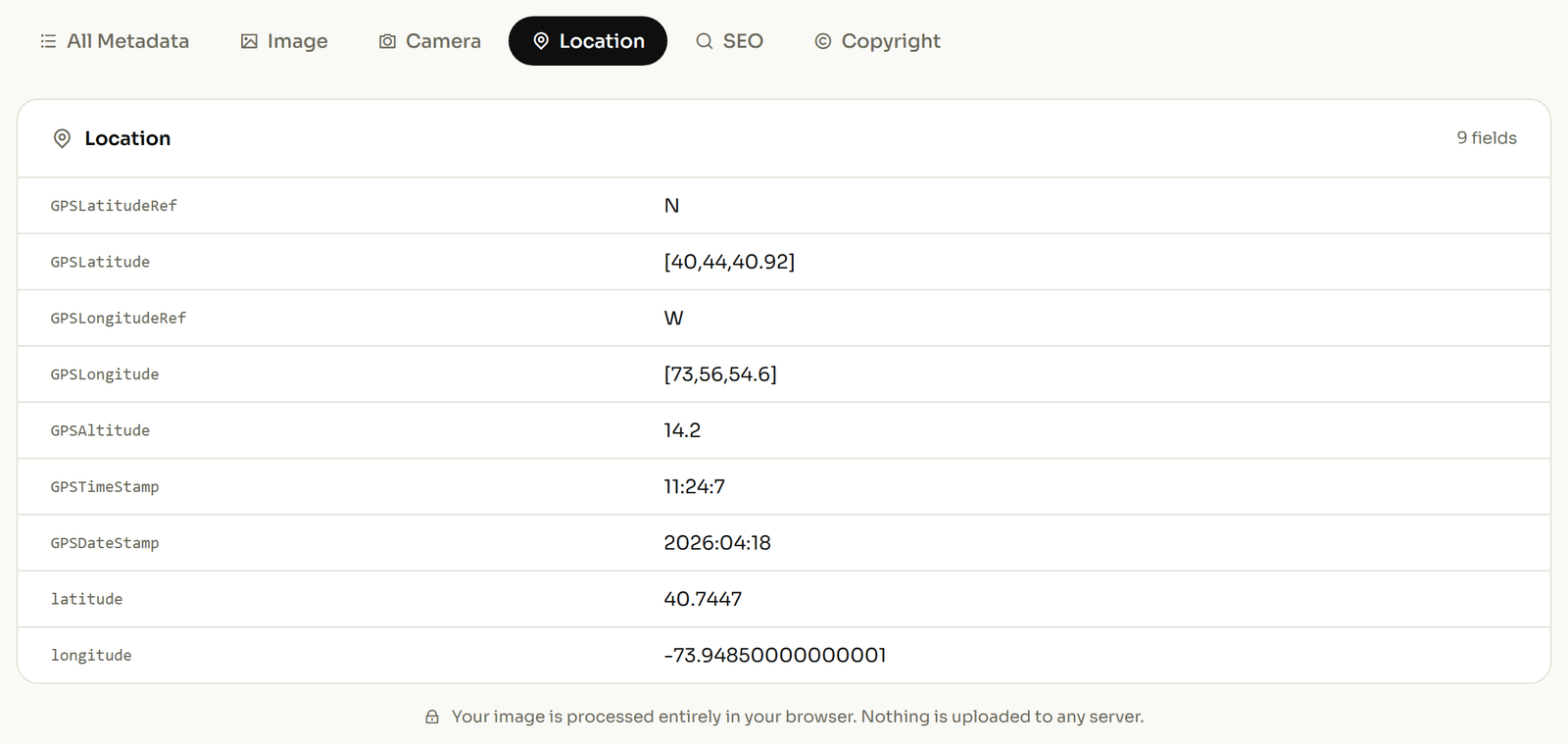
The useful part is that you are probably already holding the proof and have never looked at it. A phone writes a small block of technical detail into every photo at the instant the shutter fires: the time, and if location is switched on, the place. You can read both files and compare the two timestamps in a browser without installing anything, which is the fastest way to find out whether your own photo library would survive a question about it.
The four things in the file that make a pair checkable
Four fields do the work. Each one has a name you can go and look for in your own photos, and each one answers a different challenge to the pair.
| The field | What it records | Why it settles the argument |
|---|---|---|
DateTimeOriginal |
The moment the shutter fired, written by the phone, not the moment you saved, edited or shared the file. | Subtract one frame from the other and you have the real length of the job, from the camera rather than from the invoice. |
GPSLatitude and GPSLatitudeRef |
Where the phone was standing. The coordinate is stored as a plain positive number, and a separate one-letter field says which side of the equator it belongs to. | When both frames carry the same value, the pair is anchored to one address instead of to your word for it. |
GPSImgDirection |
Which way the camera was pointing when the picture was taken, as a compass bearing. | Matching bearings mean the same viewpoint. A bearing that jumps between the two frames means the "after" was shot from somewhere else. |
Sub-location |
A short line of your own text sitting beneath the city: a room, a floor, a unit number. It holds up to 32 characters. | "Second-floor kitchen" travels inside the photo, so the file still makes sense to you three years and four thousand photos later. |
The field names above are the ones used by the tools that read them; the full reference lives in the ExifTool GPS tag list and the IPTC tag list, and DateTimeOriginal is documented in the EXIF list.
Try the first one tonight. Open a matching pair and read the capture time on each. Say the before frame reads 09:12:41 and the after frame reads 11:47:03 on the same date. Those are example values, but read them off your own pair and the method is identical.
Subtract, and the job took 2 hours, 34 minutes and 22 seconds. Not "a morning", and not what anybody remembers afterwards. What the camera recorded.
The compass bearing is the one nobody mentions, and it is the one that catches problems inside your own business. Two frames shot from the same doorway carry near-identical bearings. Two frames where the second came from a different room, a different unit, or a different job entirely carry bearings that do not match, which is a quiet, automatic check on work photographed by crews you were not standing next to.
A two-minute photo routine for every property
None of this needs an app, a subscription or a change to how your crews work. It needs a fixed spot and one habit.
- Switch location on for the camera before the crew leaves the van, so the address is recorded rather than reconstructed later.
- Shoot the before frame standing in a doorway or a corner, and remember which one.
- Shoot the after frame from that same spot, facing the same way.
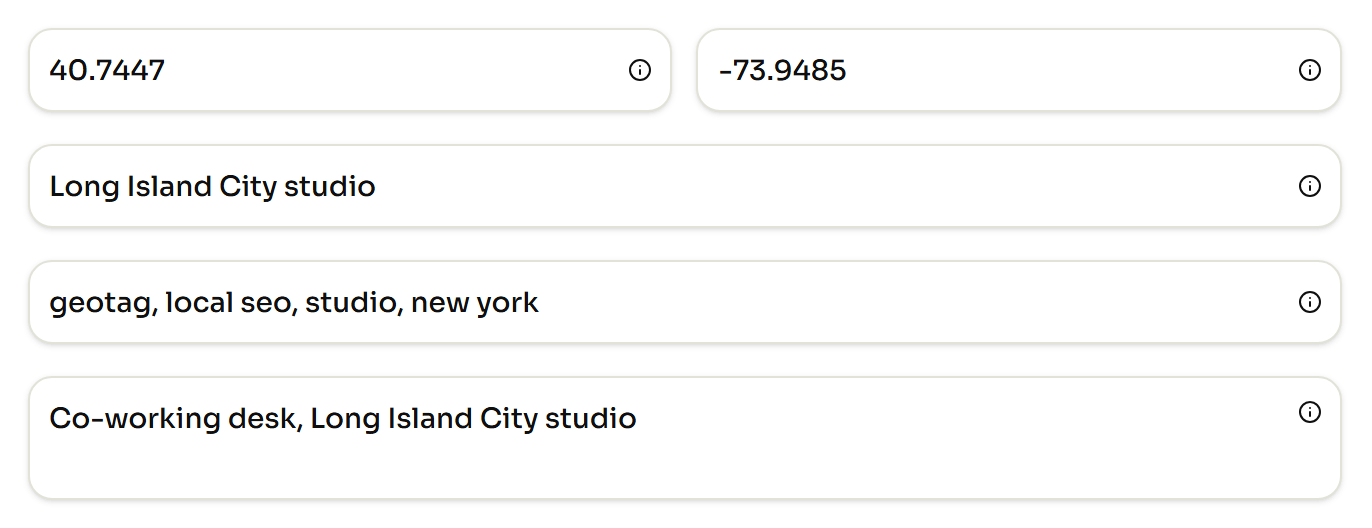
- Before the files go anywhere, write the address and the coordinates into the files and add a line naming the room.
- Keep the untouched originals in one folder, and treat every copy you post as disposable.
Step four is the one that repays itself. A photo with a room name and an address inside it is findable, sortable and defensible; a photo without them is a JPEG in a pile of forty thousand. If the underlying idea is new to you, what a geotag is and which tags hold it covers the mechanics in full.
What survives when you post the pair
Very little, and this is the part that undoes the whole exercise if you skip it. The IPTC photo metadata working group has tested this repeatedly: roughly a dozen platforms in its Spring 2019 round, and fifteen sites in an earlier run where only one came out well.
The mechanism is simple: if a platform resizes your image, the embedded detail is stripped along the way. Some services hand back an untouched original if you download it deliberately. Others re-encode on upload and quietly discard everything, and a few offer no way to download the file at all.
So the copy circulating on the internet is not the copy that proves anything. The original in your folder is. That is the entire reason step five exists.
The photo library you already have
Three years of untagged job photos are not a lost cause, because the timestamps are already in them. Nothing was needed at the time and nothing was lost. Sort by capture time, pair the frames that belong together, and you have a usable history before you change a single habit.
The location is different, and here is the line worth holding: never write a coordinate you did not visit. A made-up location inside a file is worse than an empty one, because it puts a false statement in the one place people treat as objective. Fill in what you know, leave blank what you do not, and start recording properly from the next job onward.
If you want to see the rest of what a photo can carry, the list is descriptions, credit, copyright and keywords. The full set of fields you can edit in a picture is the place to go next.